Nan Shan Insurance | 2020
Helping policyholders manage insurance with ease
A streamlined app experience for policyholders to manage their insurance with ease and efficiency
Insurance
B2C
My Role
UX Designer
Team
Design Lead, UX Researchers, UI Designer, Product Manager
Tools
Sketch, Zeplin, Keynote, Google Sheets
Timeframe
2019 - 2020 (Shipped)
overview
Managing your insurance is as simple as checking your phone
Nan Shan Insurance had a digital product, but most policyholders never touched it. As UX Designer, I shaped the foundation of the product, from how it was structured to how stakeholders aligned around it.
Post launch, the rating jumped to 4.2/5.0, with positive user feedback on the simple interface and enhanced readability.
27%
Increase in app rating
27
Happier stakeholders
problem
Less than 1% of customers use the app, so everything falls to the agents
User problems:
The app is hard to navigate, shows outdated information, and does too little, so policyholders rarely open it. Instead they route everything through their agents, where simple requests turn into slow back-and-forth and some cases never get resolved.
Business problems:
Nan Shan serves 6M+ policyholders, but fewer than 1% use the app, and monthly active users fell from 35,000 to 25,000 since April 2019. Every unserved request falls back on agents, so service quality depends on how fast one person can respond. Building an app that absorbs those requests is the only way to scale.
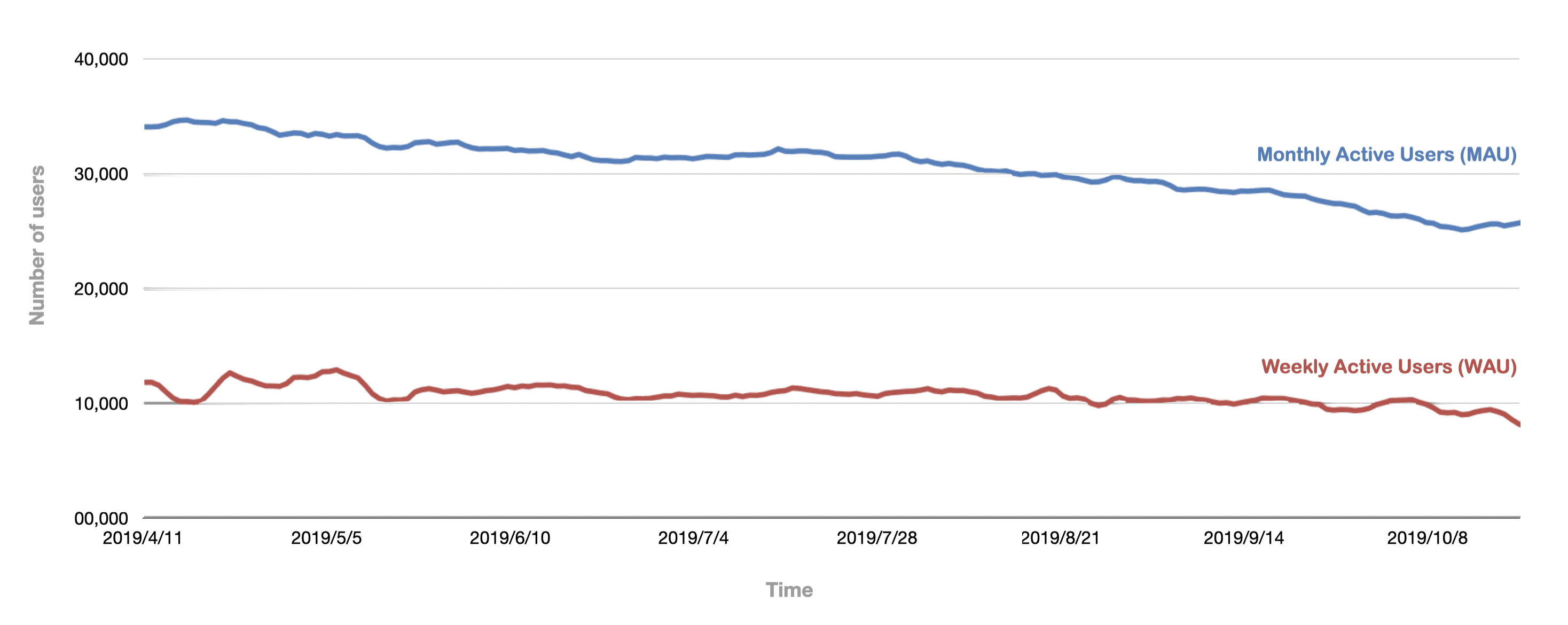
Monthly Active Users & Weekly Active Users (Source: Nan Shan Insurance)
process - STAKEHOLDER ALIGNMENT
Align all 11 departments with interviews and prioritization workshops
The project involved 27 managers from 11 departments, each with unique KPIs. This led to scope misalignment, with every department pushing for their services, resulting in over 100 potential features.
To align priorities, I interviewed 27 managers and 2 insurance agents alongside our researchers, then planned and facilitated two workshops that cut the design scope from over 100 features to 50 core ones.

Running the prioritization workshop
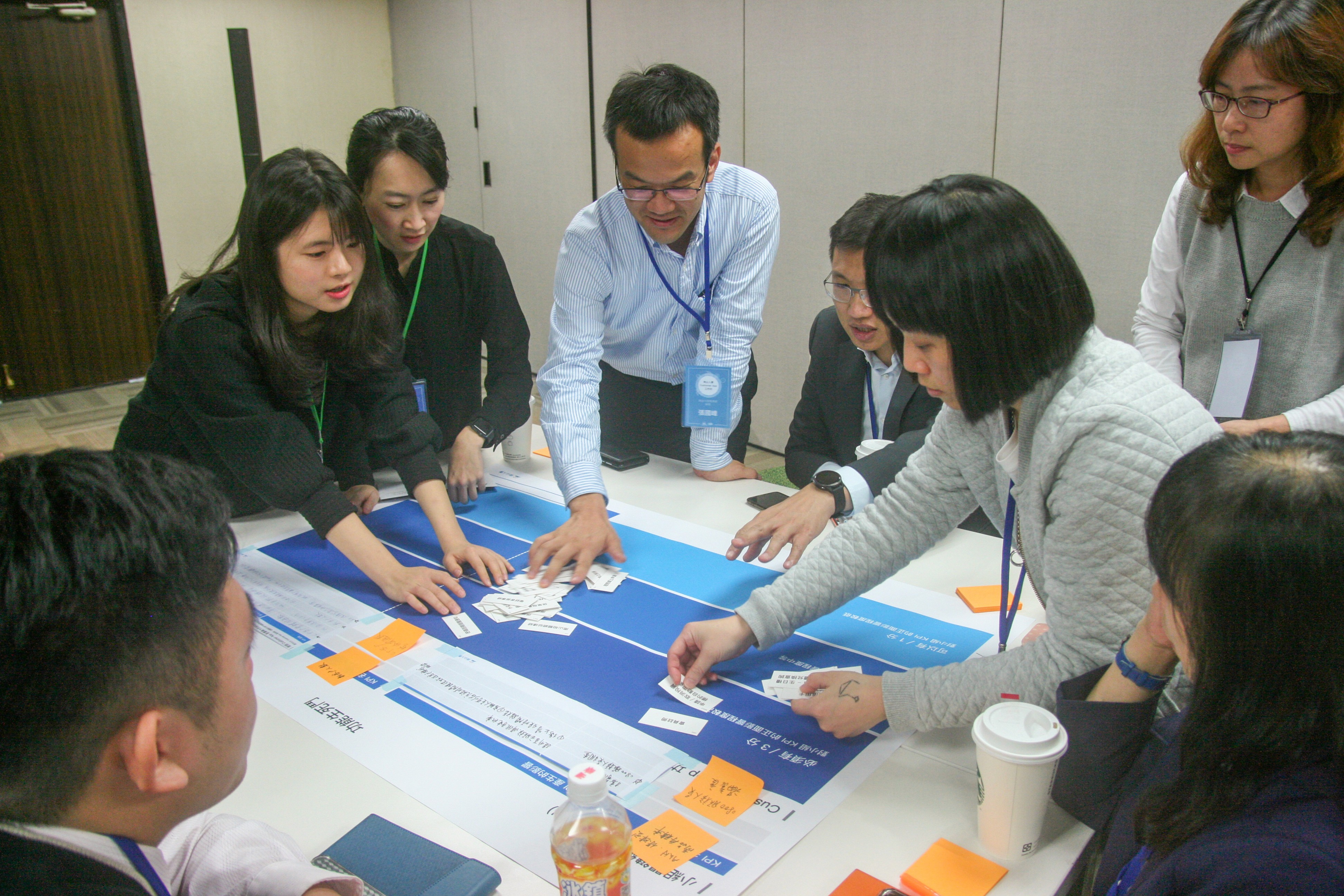
Prioritizing features with the $100 test technique
With scope settled, the goals came into focus:
User goal
Manage insurance policies easily on mobile without calling an agent.
Business goal
Boost adoption by moving the tasks policyholders call agents for onto the app.
process - User interview
Users found it difficult to access the most relevant and latest information on the app
We interviewed 8 Nan Shan Life policyholders. Key questions included:
What did you do on the app last time?
What do you typically use the app for, and why is it important?
When and how do you usually manage your insurance?

Clients attended user interviews as observers
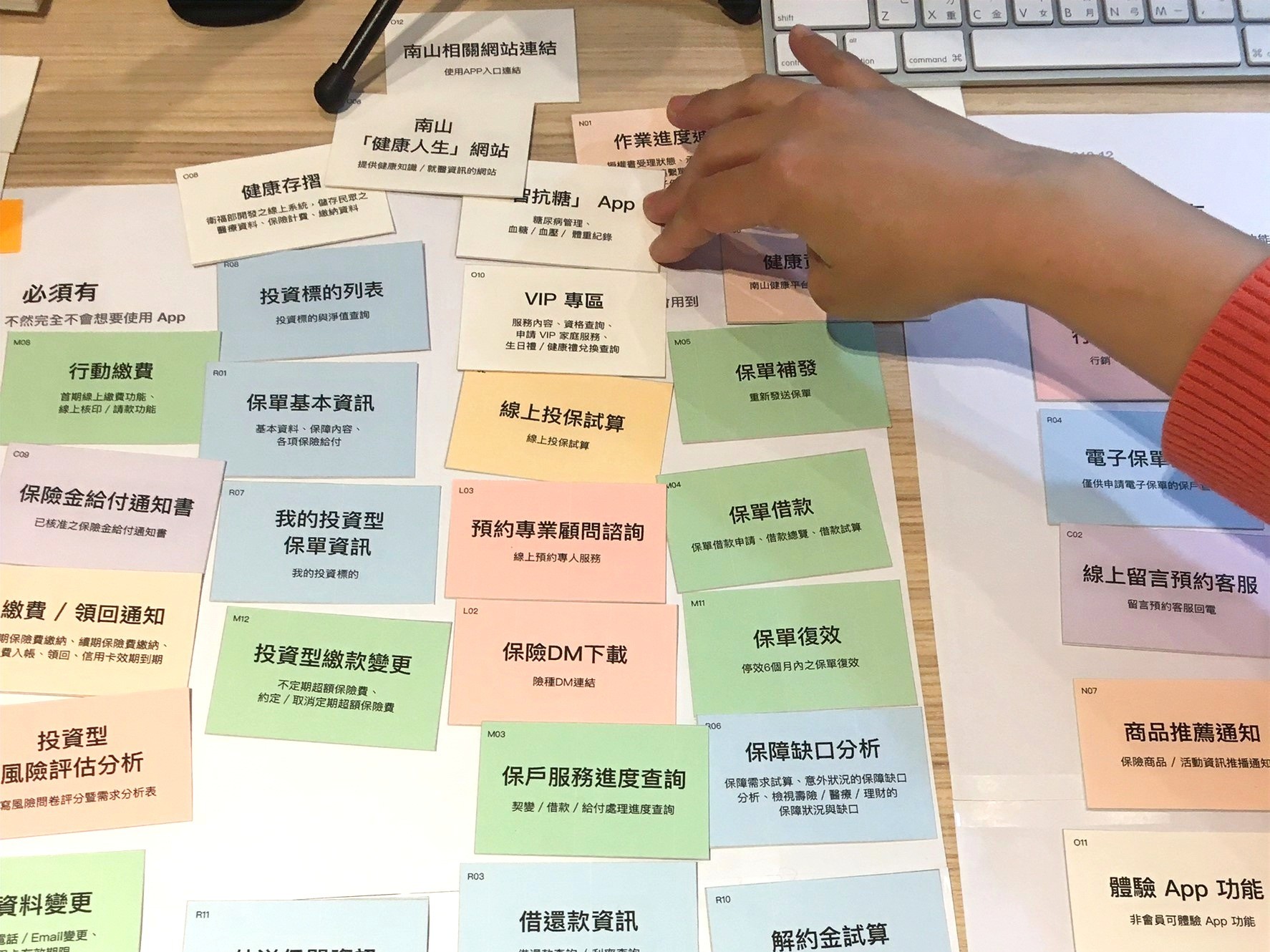
Participants categorized services using Card Sorting
The key insights were:

Key Finding 01
Users feel anxious about not seeing the updated status of their insurance.
Key Findings 02
Users struggle to access the details of insurance policies when emergency.
Key Findings 03
Filing insurance claims on the app is complicated and time-consuming.
Key Findings 04
Instant notifications is important when the status of insurance policies change.
process - Persona
Let's meet Eva and Willy
Persona 01 - Eva Chang
Bio: 45-year-old financial manager with moderate digital literacy
Goals: Prioritizes supporting and caring for their family.
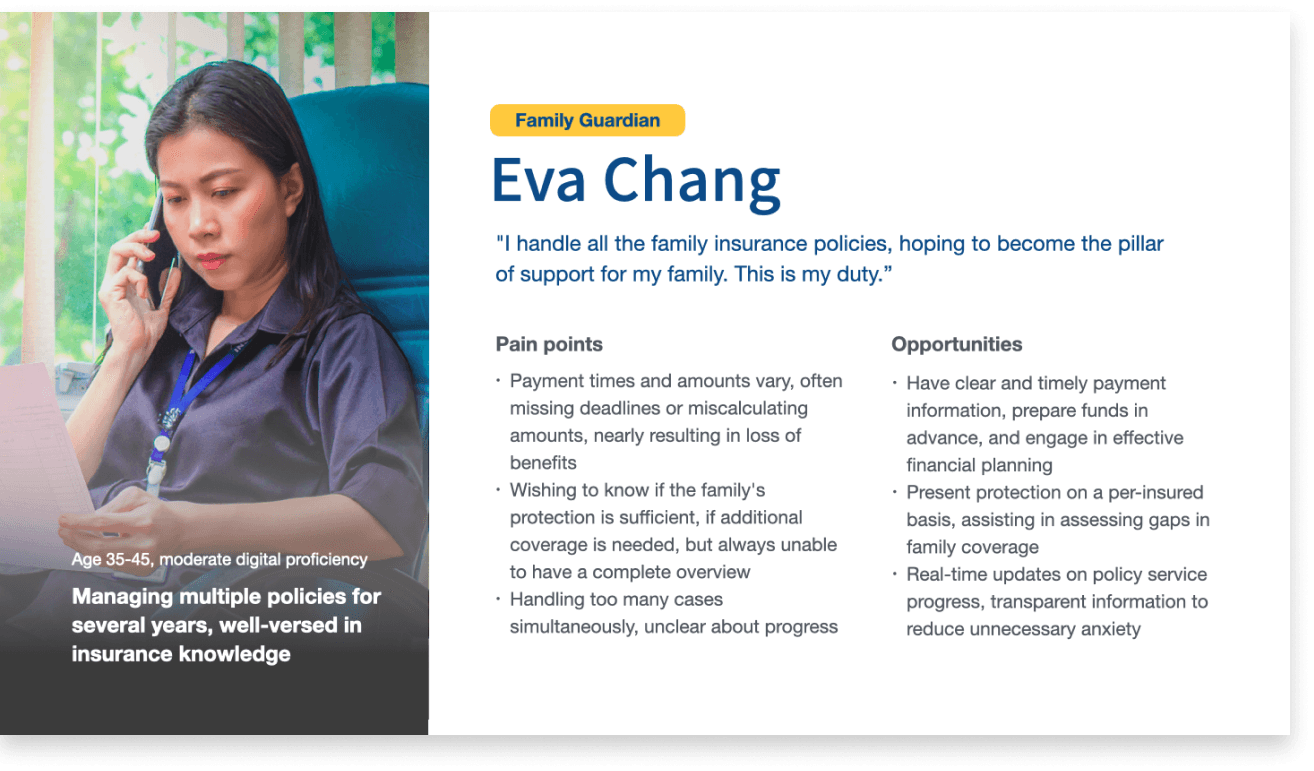
Persona 01 - Family Guardian
Persona 02 - Willy Li
Bio: 28-year-old business analyst with high digital literacy
Goals: Values independence and self-reliance.
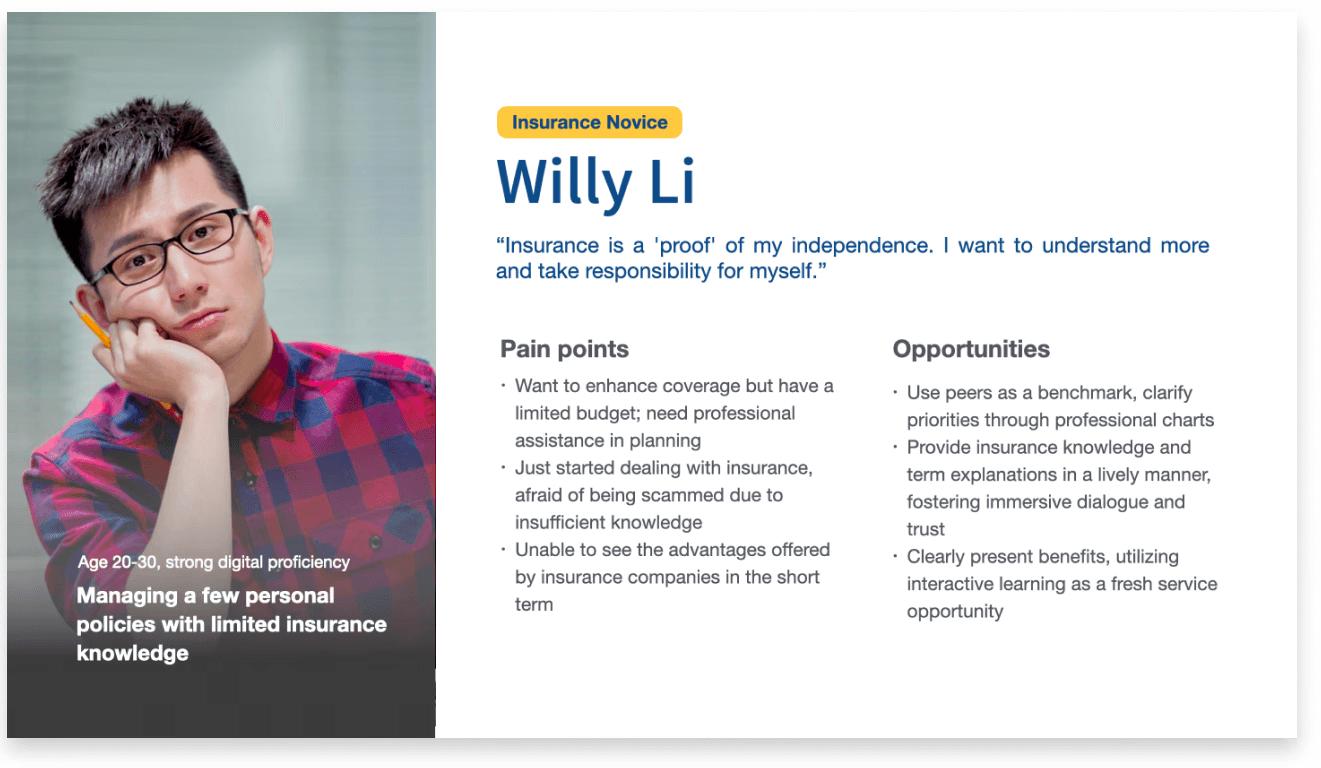
Persona 02 - Insurance Novice
process - Ideation
Design a streamlined, intuitive insurance experience for Family Guardian
After aligning with management and analyzing customer characteristics, I moved forward with the Family Guardian (Persona 01), our primary persona.
By asking the question, "How might we enable policyholders to effortlessly access personalized and real-time information, ensuring a sense of ease?" I started with reconstructing the app's information structure to improve navigation.
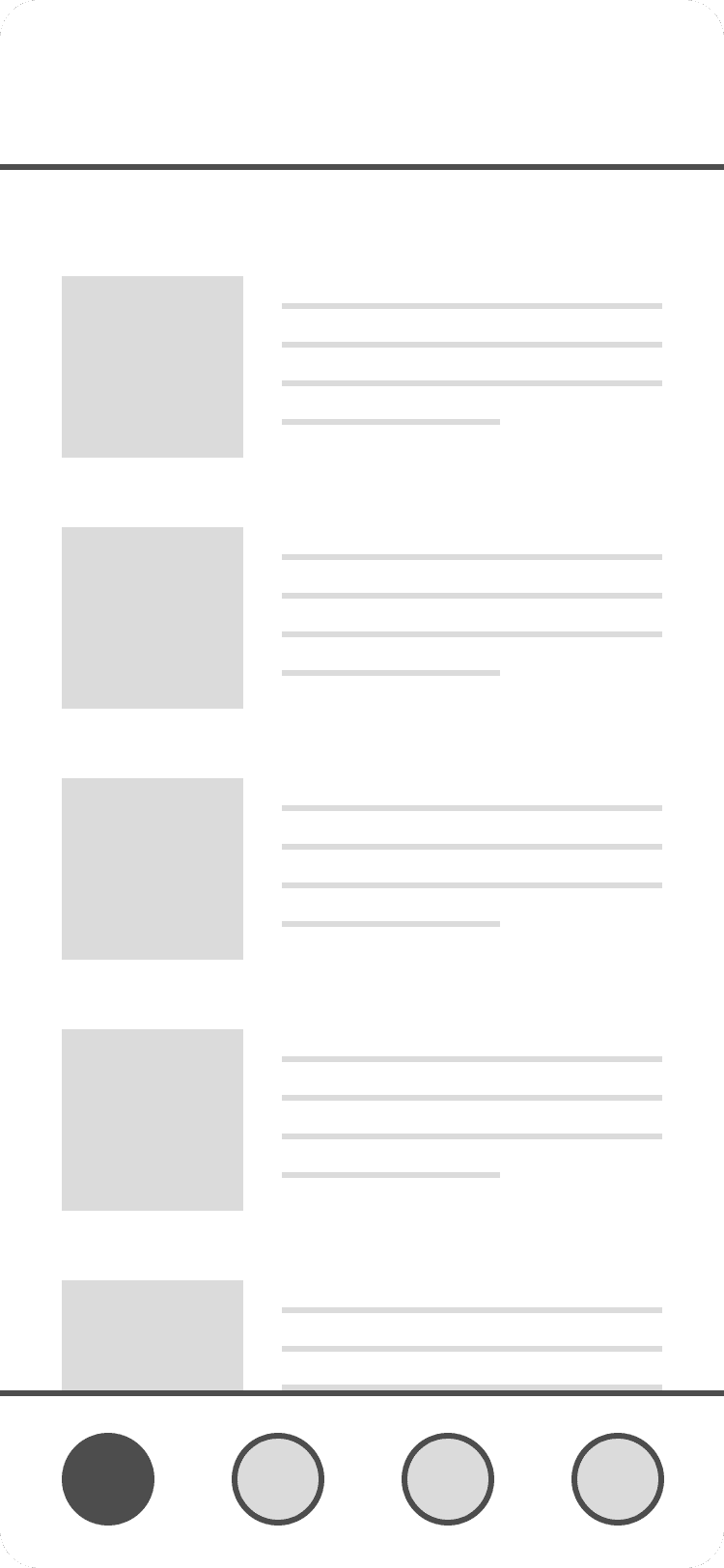

Bottom tab bar
Accessible with one hand and focused on key actions.


Hamburger menu
Can hold many options, but reduces discoverability.

Full-screen
Good for tasks, but lacks context and require more steps.
After choosing the bottom tab bar as our navigation pattern, I then brainstormed ideas and created low-fi and mid-fi wireframes for the homepage and main user flows, focusing on the needs of family-oriented users.
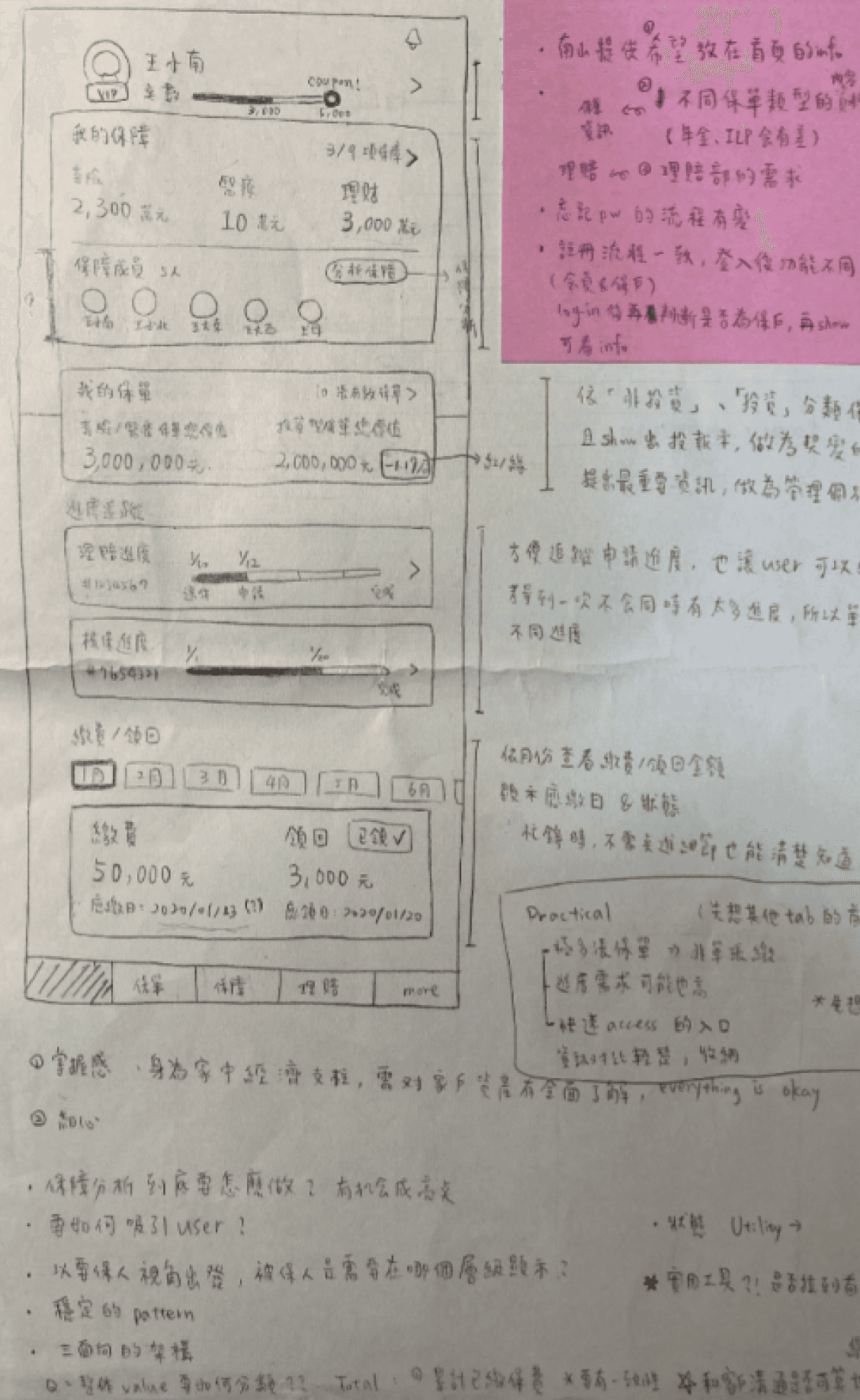
Wireframes of the homepage & Notes
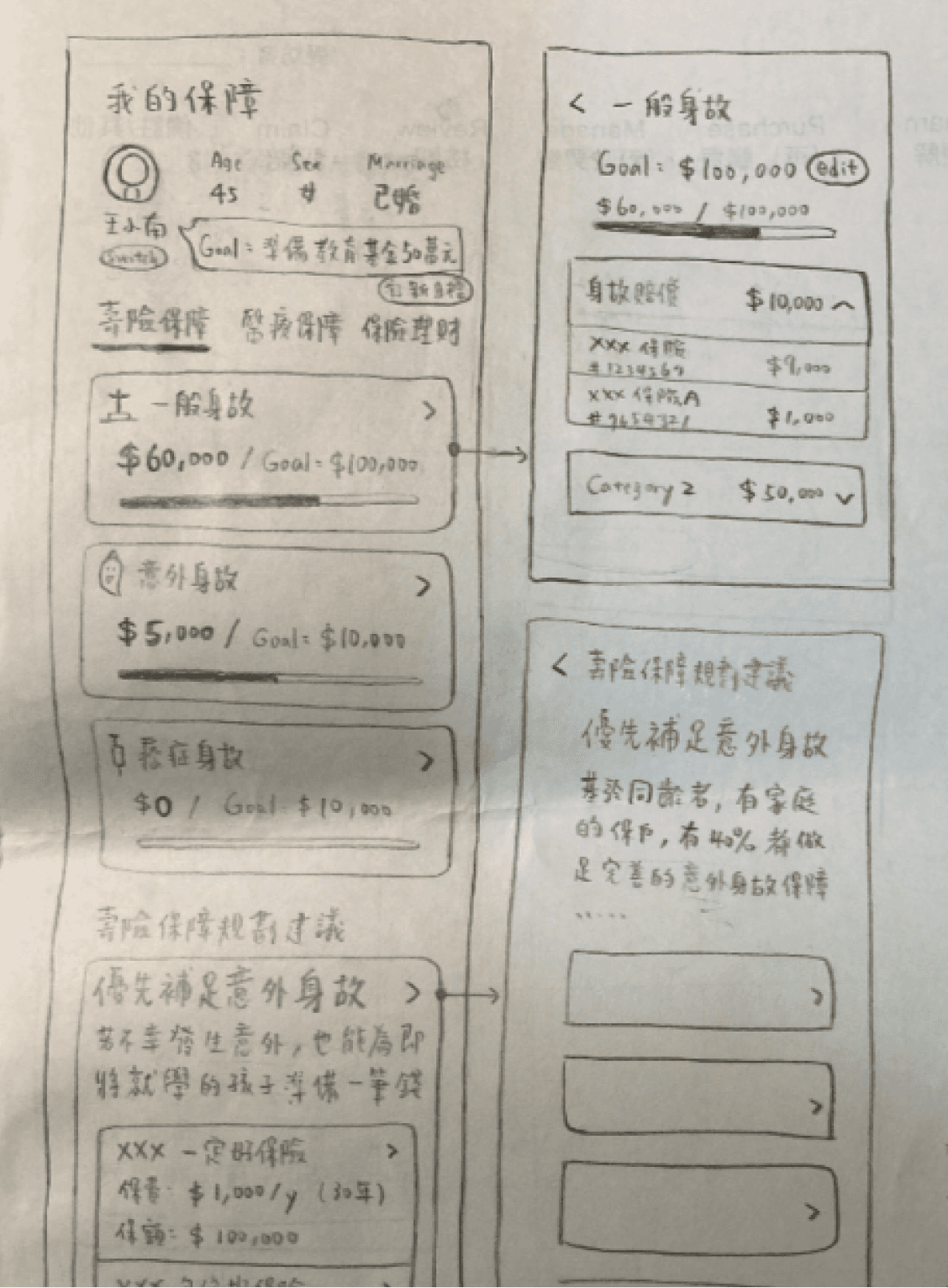
Wireframes of the insurance landing page
Outcome & Impact
Happier Users, Better Communication at Nan Shan Life Insurance
User Impact:
The redesign led to a notable increase in user satisfaction, with the app rating improving from 3.3 to 4.2. User feedback emphasized the simpler interface, clearer information, and enhanced readability.
Business impact:
Interviews and prioritization workshops across 11 departments resulted in improved cross-departmental communication within Nan Shan Life Insurance, a company of over 4,000 employees.
"I'm really impressed with the new app! It's simple, easy to read, and I can see the policy status now."
— A Nan Shan Insurance Policyholder
"Those workshops were a total success! It was amazing to see all 11 departments finally having an in-depth conversation."
— Sr. Vice President from Nan Shan
Reflection
Lessons I learned: creativity, focus, and addressing unintended consequences
This project showed me that stakeholder alignment doesn’t have to be rigid or overly formal. By using interactive UX workshops, we built genuine consensus across teams. I also learned the importance of focusing on one primary user group—instead of trying to please everyone, we created a more purposeful and effective experience. Finally, we considered the ripple effects of our design. Since the app could impact insurance agents’ roles, we brought them into the process early through interviews and workshops, helping them see how the tool could support rather than replace their work.